

Computerease

Category: Blog

Suspect Your Computer Has Been Hacked? Do These 5 Things Now!

Suspect Your Computer Has Been Hacked? Do These 5 Things Now!

The initial reaction when you suspect your computer or network has been compromised is to panic. However, if your network has been breached, what you do next can make the difference between the incident being a minor inconvenience and being a devastating disaster that brings legal trouble and huge fines, and halts your ability to do business. In today’s article, we’ve consulted our cyber security experts on the top signs of an affected computer and the five steps you need to take as soon as you notice your network has been compromised to prevent as much irreversible damage as possible. Signs Of An Issue According to IBM’s latest cyber security report, the average data breach goes 277 days before it’s noticed and reported. This time frame sounds crazy considering that attacks using malware, viruses, keylogging tools and more can cause a considerable amount of damage very quickly, but most users miss the warning signs and don’t realize they’re under attack until irreversible damage has occurred. Several of the biggest indicators of an issue can be mistaken for a slow or outdated computer or operating system. If you experience any of these issues, it’s a good idea to contact your IT team. If it’s an attack, they’ll know the proper steps to take, and if it’s not, they’ll be able to update your system or replace your device to improve performance. Here are a few key signs your computer could be infected: Slow computer or network performance Frequent freezes or sudden crashes Rapid pop-ups Locked user accounts Sudden and unexpected file changes Abnormal system behavior, such as the device continuing to run after a shutdown Unusual account activity What To Do Next If you’re experiencing any of these issues, the next steps you take are important. Here is what our team of experts recommends: 1. Take the network offline to isolate the incident, but DO NOT turn off the device or reboot it. When a device isn’t working the way it should, the go-to move is to hit Restart. In many scenarios, that maneuver can work; however, if malware is involved, this simple act can make the situation worse. In some circumstances, rebooting your device can set in motion a crashed file-encryption process that can cause unrecoverable data loss. Disconnect your device from the network but allow it to remain on as you move through the next steps. 2. Call your IT team IMMEDIATELY. It’s important to contain the breach before it infects the rest of your network or causes any more damage. Your IT team will be able to investigate the issue to determine what went wrong and what the impact was, and mitigate the breach quickly. Do not try to fix this on your own. Attempting to run a “system cleanup” or your antivirus software will waste time and could cause more damage. Call in the experts. 3. Call your attorney. There are several reasons to call your attorney. Depending on the size of the breach, your attorney may refer you to outside legal counsel with privacy and data security expertise who can advise you on the federal and state laws that may be implicated by the data breach. 4. Change passwords and secure all accounts. As the IT team is working on containing the breach, you’ll want to change your passwords to protect any of your other accounts that may not have been affected yet. Hopefully you have multifactor authentication enabled and will be notified if someone tries to access your account, but if not, begin working through your accounts to secure them, starting with ones that contain financial information like credit card numbers, Social Security numbers and more. 5. Check your bank accounts. Nearly all cyber-attacks are financially motivated, making bank accounts the primary target. As the breach is being mitigated, check your bank accounts and payment processing tools, including third-party merchant accounts and employee payroll systems, for any anomalies or sudden changes. If you’re hit by a cyber-attack, there will be a list of other steps to take, like implementing a PR communications plan, notifying appropriate parties such as law enforcement and more. The most important thing you can do if a data breach occurs is to isolate the incident and hand it over to a qualified cyber security professional as soon as possible. Time matters in these situations. If you need a reliable, trustworthy cyber security team monitoring your business, start with a FREE Cyber Security Risk Assessment. These assessments are designed to thoroughly examine your network to pinpoint any vulnerabilities and map out a plan to fix them. It is much more cost-effective to prevent a cyber-attack than to fix one, so book your assessment today by going to https://computer-service.com/cyber/ or calling 314-432-1661.

Read More
Top Tax Scams Every Business Owner Needs To Watch Out For In 2024

Top Tax Scams Every Business Owner Needs To Watch Out For In 2024

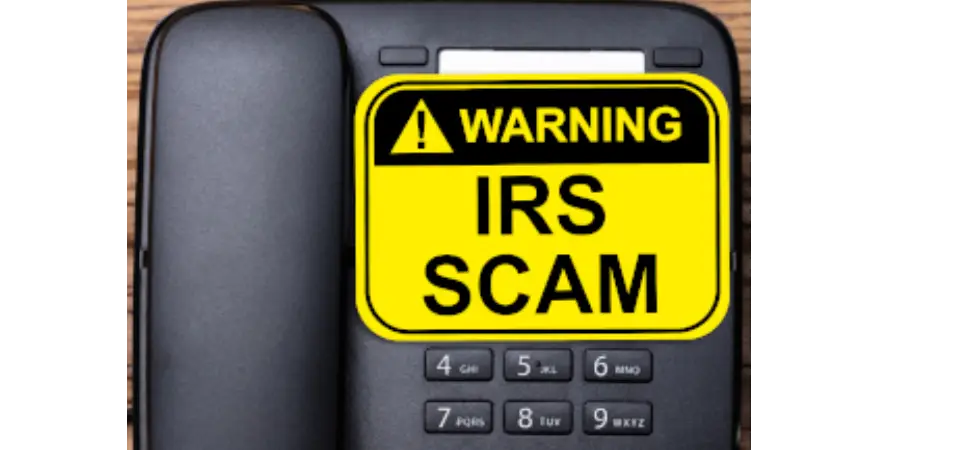
Tax season is around the corner, which means so are tax scams. Without fail, every year, individuals and business owners alike fall victim to tax scams, resulting in the loss of substantial amounts of money and sensitive personal data. According to the Better Business Bureau, taxpayers lost $5.7 billion due to tax scams and fraud in 2022 alone. In today’s article, you’ll discover the top scams you need to be on the lookout for to reduce your chances of becoming these scammers’ next victim. The IRS has specific methods of contacting you One way to lessen your chances of falling for Internal Revenue Service scams is to know how the IRS will contact you. Per the IRS website, the IRS will not initiate communication with taxpayers through e-mail, text messages or social media platforms for the purpose of soliciting personal or financial information. The IRS’s main method of communication is physical mail; however, if they’re unable to reach you via mail, they may initiate a phone call. If this is the case, they will still try not to solicit any personal or financial information over the phone, and they will never threaten you or demand payment. If you’re second-guessing anything you receive, you can check out this article to help you figure out if it’s really the IRS contacting you. Here are the top scams to keep an eye on this tax season The Refund Scam The Internal Revenue Service has issued a warning to taxpayers regarding a scam designed to deceive individuals into believing they are entitled to a refund. This is often the most common scam that we see happen every year. In this scheme, recipients receive a formal notification, usually a letter, stating that they have an “unclaimed refund” available. There are variations of this, including one scam that uses a cardboard envelope from what looks to be a certified delivery service and bears the IRS logo. Similar to many scams, the deceptive letter provides contact information and a phone number that is in no way affiliated with the IRS. What sets this scheme apart is its request for various sensitive personal details from taxpayers, including detailed images of driver’s licenses. Identity thieves seeking to get ahold of tax refunds and other confidential financial data can exploit such information. Stay vigilant and be cautious of such misleading communications. If something seems off, it probably is. Identity Theft If cybercriminals are able to get access to your personal information, they can file a fake tax return on your behalf and potentially collect a refund payment. The IRS recently shared that more than 1 million tax returns were flagged last year for possible identity theft. One tool to prevent tax ID theft is to apply for an Identity Protection PIN from the IRS before you file your return. It’s also good to file early before criminals have a chance, and if you get a notice about an alleged “duplicate tax return” or a notice saying that additional taxes are owed, contact the IRS directly as soon as possible. The ERC Scam The Employee Retention Credit (ERC), sometimes called the Employee Retention Tax Credit, or ERTC, is a refundable tax credit against certain employment taxes. The IRS and tax professionals continue to see aggressive broadcast advertising, direct mail solicitations and online promotions involving the ERC. While the credit is real, aggressive promoters are misrepresenting and exaggerating who can qualify for the credit. This has led the IRS to issue many warnings about ERC schemes from third-party promoters that charge large up-front fees or a fee based on the amount of the refund. These promoters may fail to inform taxpayers that they must reduce wage deductions claimed on the business’s federal income tax return by the amount of the credit. Businesses, tax-exempt organizations and others thinking about applying for the ERC need to carefully review the official requirements for this credit before they claim it. The “Impact Payment” Scam As you prepare to collect the required documents for filing your 2023 return, be aware of a new online scam circulating. This scheme involves an e-mail displaying the IRS logo and addressing the “third round of economic impact payments,” deeming it an “important matter concerning your recent tax return filing.” The e-mail asserts that certain inconsistencies or missing information have been identified and assures recipients that a refund of $976 awaits them upon submission of the required document. Notably, there’s a button labeled “complete my information,” but IRS Media Relations Specialist Robert Marvin urges you not to click it. The “Additional Information Needed” Scam If you receive an e-mail from the IRS requesting that you submit a tax form, proceed with caution. While there are legitimate forms that taxpayers may be required to complete (such as the W-9 for freelancers and W-4 forms for employees), these are typically directed to companies and do not go directly to the taxpayer from the IRS. To steer clear of potential scams, it is recommended to disregard such messages and promptly report the fraud to the IRS. It’s important to note that the IRS does not initiate contact via e-mail, and any solicitation for forms through this is indicative of fraudulent activity. Another Tax Agency Scam Scammers may adopt the appearance of legitimate or fictitious tax agencies when making phone calls. Instances include impersonating entities like the Taxpayer Advocate Service or the nonexistent Bureau of Tax Enforcement. While the Taxpayer Advocate Service is a legitimate entity, it does not initiate unsolicited calls to taxpayers. On the other hand, the Bureau of Tax Enforcement is not a genuine organization. Exercise caution and skepticism toward unsolicited calls alleging to be from government agencies. Obtain a reference number if possible, terminate the call and initiate a return call using an officially verified phone number. This practice helps protect against potential scams. Be Smart And Protect Yourself The tax season often sees a surge in scams, but with some vigilance identifying an IRS imposter and protecting your finances and sensitive data becomes possible.

Read More
New Security Features To Protect Your Phone In 2024

New Security Features To Protect Your Phone In 2024

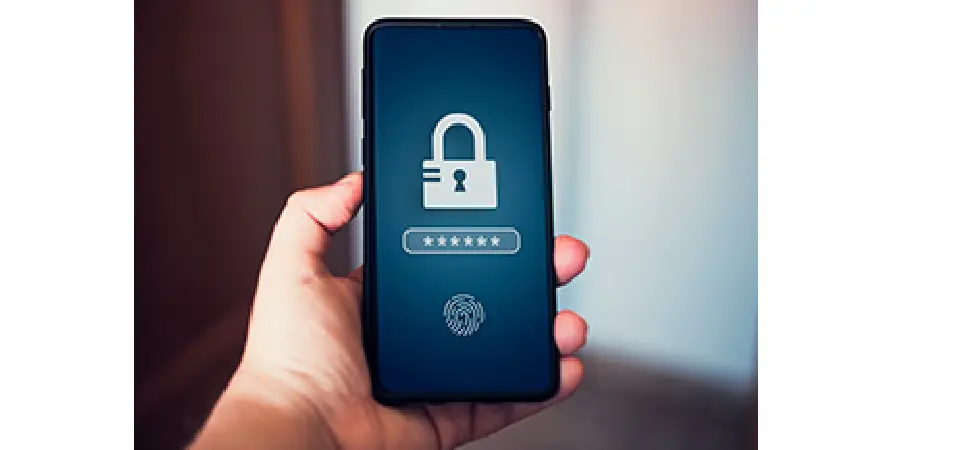
Long gone are the days when phones were simple devices used to make calls. Today our phones are advanced, handheld supercomputers that can do everything from pay a bill to order lunch for delivery to edit videos and more. But with more capabilities come more risks. Because our phones are computers and connected to the Internet, they are susceptible to the same security risks that any other computer would be. Worse yet, personal devices often contain private information like bank account numbers, which, if accessed by the wrong person, could result in dangerous and expensive problems like drained bank accounts, identity theft and so on. Still, despite the obvious risks, most people do not treat phones like the security threats they pose, making them easy, no-brainer targets for cybercriminals. To give perspective on how severe the problem is, Apple recently shared a study from MIT revealing a shocking 2.6 billion personal records were breached in 2021 and 2022 and were expected to increase in 2023. According to Kaspersky Security Network, in Q3 of 2023 alone, a total of 8,346,169 mobile malware, adware and riskware attacks were blocked, with adware being the most common tactic at 52% of total detected threats. The risks are even more serious for business owners. Does your organization have a mobile policy for employees? Are employees accessing sensitive work documents or accounts using unprotected devices? If you’re not sure, you need your IT department to look into this immediately. It only takes one entry point for a hacker to break into your network. There are a few ways to protect your devices now. Both Apple and Android have developed powerful security systems with advanced protective features you can start utilizing today. Apple: End-to-end encryption has been the default for Apple iMessage, iCloud Keychain, and Health data, but with a recent update, Apple rolled out Advanced Data Protection (ADP). This feature is an optional setting that offers Apple’s highest level of cloud data security by encrypting messages in iCloud, iCloud Backup, Notes, Photos, Safari bookmarks, Siri Shortcuts and more. Activating this setting protects your data in the event of a cloud-based data breach by only allowing trusted devices added by you to decrypt the information. Not even Apple can access your data. Here’s how to enable Apple’s Advanced Data Protection Setting: Make sure devices signed in with your Apple ID have been updated to at least iOS 16.2, iPadOS 16.2, macOS 13.1, tvOS 16.2, watchOS 9.2 or later. Open the Settings app on your iPhone. Tap your name at the top. Select iCloud, scroll to the bottom, and tap Advanced Data Protection. Tap Turn On Advanced Data Protection. NOTE: If you don’t have a recovery contact or key set up, you’ll be prompted to do that first. Once a recovery contact/key is set up, return to Settings > iCloud > Advanced Data Protection and tap Turn On Advanced Data Protection. Follow the prompts. NOTE: You may be asked to update other devices signed into your iCloud account before enabling end-to-end encryption (E2E). You can also remove devices with old software to continue the process. If your device is new, for security reasons, Apple might make you wait to enable the feature. If that’s the case, that timeframe will show on your screen during setup. Android: While Apple is known for having a robust security system that reduces vulnerabilities and protects users’ data, Android’s security features are not far behind. Google Play Protect analyzes every app before it’s available for download, and any new apps where a security risk is detected are unable to be accessed. The software also runs daily scans to help identify and disable malware and other harmful applications installed on your phone to protect your data. Furthermore, Android backups are regularly uploaded to Google servers and encrypted with your Google Account password for security purposes. How to keep data secure if you’re using an Android: If you’re using Google One, you can set up automatic backups on your Android device to ensure that if disaster strikes, your data is securely stored in the cloud: Open the Google One app on your Android. At the bottom, tap Storage. Scroll to “Backup” and tap View. If this is your first phone backup, tap Set up data backup. If this isn’t your first phone backup, tap View Details. To review backup settings, tap Manage backup. Choose your backup settings. NOTE: If you get a message to install an app, update an app or change your settings, follow the onscreen steps. Then, go back to the Google One app to finish. If asked, tap Allow Permissions. At the top left, tap Back. NOTE: Google One backups may take up to 24 hours to complete. How To Protect All Of Your Devices: These features are not the end-all, be-all for phone security, but they will add a layer of protection for your data. To ensure every device on your network is secure, we recommend getting a third-party Cybersecurity Risk Assessment. This is a free, no-obligation assessment where one of our experts will examine your network and let you know if and where you’re vulnerable to an attack, including your mobile device policy. Schedule your assessment with one of our senior advisors by calling us at 314-432-1661 or going to https://computer-service.com/cyber/.

Read More
5 New Cybersecurity Threats You Need To Be Very Prepared For This Year

5 New Cybersecurity Threats You Need To Be Very Prepared For This Year

The year of 2023 marked a significant turning point for cyber-attacks with the introduction and wide proliferation of AI (artificial intelligence), now in the hands of people who wish to do you harm and who are actively using it to find faster and easier ways to rob you, extort you or simply burn your business to the ground. As I write this, I’m well aware there’s a tendency to shrug and just accept the “we’re all gonna get hacked anyway” mantra to avoid having to deal with it. Further, like overhyped weather reports, it’s also tempting to just ignore the warning signs, thinking all of this is just fearmongering rhetoric designed to sell stuff. However, it truly is becoming a situation where the question is no longer IF your organization will be hacked, but WHEN. The Hiscox Cyber Readiness report recently revealed that 53% of all businesses suffered at least ONE cyber-attack over the last 12 months with 21% stating the attack was enough to threaten the viability of their business. This year is going to be a particularly nasty one, given the U.S. presidential election along with the ongoing wars between Russia and Ukraine and Israel and Hamas. Tensions are high and hacking groups are often motivated by revenge as well as money. Now, here are the 5 biggest developments in cyber threats you need to know about. 1. The Proliferation Of AI Powered Attacks: If cybersecurity is a chess game, AI is the Queen, giving the person in possession the most powerful advantage for whomever plays it best. All cyber-related reports expect to see highly sophisticated deepfake social engineering attacks on the rise designed to separate you from your money. We’ve already seen scams using AI-generated voices of family members, calling relatives to claim they’ve been injured, kidnapped or worse, to extort money. This is also being used to hack into companies by getting employees to provide login information to people they think are their IT department or boss. This is where employee awareness training comes in, as well as controls such as MFA (multi-factor authentication), come into play. 2. Increased Risk Of Remote Workers: The expansion of remote work is a trend that is not going away; and with that comes an exponentially greater risk for cyber threats. From laptops being carried around and connected to suspicious Wi-Fi to mobile phones providing a “key” to logging into critical applications (like your bank account, Microsoft 365, line-of-business and credit card applications), these devices pose a high risk for being easily lost or stolen. Further, when people use their own devices or work remote, they tend to mix business and personal activities on the same device. That employee who frequents gambling or porn sites may be using the same device used to login to company e-mail or critical applications. Even logging into personal social media sites that get hacked can provide a gateway for a hacker to get to YOUR company’s information through a user’s (employee’s) personal accounts. 3. Escalation Of Ransomware Attacks: There are an estimated 1.7 million ransomware attacks every day, which means every second 19 people are hacked worldwide. If you’ve been lucky enough to avoid this, know that someone else is getting hacked on a very frequent basis, and you are very likely to be hit. Last year, ransomware attacks increased by 37% with the average ransom payment exceeding $100,000, with an average demand of $5.3 million. Fortunately, not all ransom attacks are successful. Businesses are getting much smarter about cyber protections and have been able to put in place protections that prevent hackers from successfully extorting their victims. 4. IoT Attacks: IoT, or “Internet of Things,” is a term to describe the proliferation of Internet-connected devices. Today, even kitchen appliances, like a refrigerator, can be connected to the Internet to tell you when it’s time to change the water filter to alerting you if there’s a power outage. This means hackers have a FAR greater number of access points into your world. If there are 100+ more doors to walk through in a house, you have a much greater security risk than if there are only five. That’s why IoT attacks present such a problem for us, and a huge opportunity for the hackers. While many people know they should lock their PC, they might not be as meticulous in locking down their fridge or their dog’s tracking collar, but those could all provide access to you, your devices, e-mail, credit card and personal information. 5. Cyber Protection Legal Requirements: To try and combat the out-of-control tsunami of cybercrime, the government is initiating more comprehensive federal and state laws requiring business owners to have in place “reasonable security” protections for their employees and clients. The FTC (Federal Trade Commission) has been the most active in this space, bringing numerous actions against companies it alleges failed to implement reasonable security measures, issuing monetary penalties. Of course, all 50 states plus Washington D.C. have passed laws imposing security requirements as well as data breach notification laws that require businesses to notify anyone whose data and PII (personally identifiable information) has been stolen or accessed by hackers via the company. For example, in California, under the California Privacy Rights Act (CCPA), a business could face a penalty of $100 to $750 per consumer and per incident if that company gets hacked and the court determines they failed to put in place reasonable security procedures. Not Sure If You’re As Protected And Prepared As You Should Be? To make sure you’re properly protected, get a FREE, no-obligation Cybersecurity Risk Assessment. During this assessment, we’ll review your entire system so you know exactly if and where you’re vulnerable to an attack. Schedule your assessment with one of our senior advisors by calling us at 314-432-1661 or going to https://computer-service.com/cyber/.

Read More

Contact Us Today To
Schedule Your Discovery Call