-
Chicago: 312-554-7550
-
St. Louis : 314-432-1661
-
Metro East IL : 618-346-8324
-
Central IL : 217-528-0500

Moving Offices Without Losing a Workday: An IT Relocation Checklist
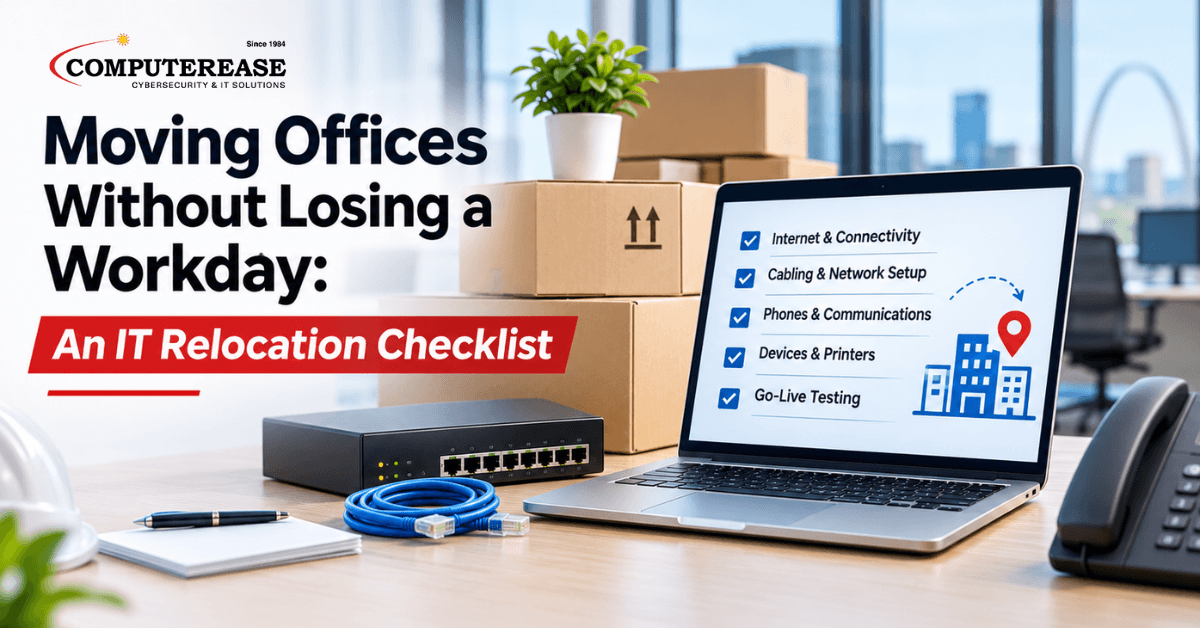
It’s 8:15 on Monday morning at the new office. The furniture looks great. The coffee is on. And nobody can get online, CISSPbecause the internet line was ordered three weeks ago and the carrier still hasn’t installed it.
The move itself rarely causes a morning like that. The furniture and boxes take a weekend. The IT work that makes Monday go smoothly starts months earlier, and it’s usually the part that gets started too late.
Here’s the short answer if you’re planning a move: the IT work for an office relocation should start months before moving day, beginning with the internet order and a walkthrough of the new space. Internet installs often take several weeks, and cabling decisions have to be made before the walls close. Everything else, from cabling to phones to printers, depends on those two things.
What does a lost day actually cost?
You don’t need an industry statistic for this. Use your own numbers.
Take the number of people in your office and multiply it by the hours they can’t work. Twenty people without systems for three hours is 60 hours of payroll you paid for and didn’t get. Then add the calls that went unanswered and the customers who noticed.
Most of that is avoidable. The checklist below is the same order of work we follow when we help a business move. Use it whether or not you ever call us.
Moving in the next six months? The full office move IT checklist is at the end of this post. Print it or copy it into your own project plan.
Step 1: What does your new space actually need?
Before anyone orders anything, walk the new space with the IT side in mind. A floor plan won’t tell you where the existing cabling runs or whether the network closet (the small room or cabinet where your internet and network equipment lives) has power and cooling.
Four questions to ask the landlord or building manager:
- Which internet providers already serve the building, and is there existing fiber or cable into the space?
- Where is the building’s telecom room (the shared room where carrier lines come into the building), and who controls access to it?
- What cabling is already in the walls, and can we reuse it?
- What are the rules for running new cabling, including approved contractors and allowed work hours?
Then write down what your business needs on day one. How many desks, phones, printers and conference rooms. Whether you need a guest Wi-Fi network. Which systems people can’t work without, like your accounting software, your line-of-business application or your phone system.
Step 2: Who is responsible for what?
An office move involves at least three parties on the IT side: the internet carrier, the building, and whoever manages your technology. Each one does its part well. The trouble starts in the gaps between them.
The carrier installs the line but doesn’t set up your firewall. The building runs cable but doesn’t test your phones. Your IT person assumes the carrier scheduled the install. Nobody is wrong. Nobody owns the whole list either.
Pick one person who owns the IT side of the move from start to finish. That person tracks every order, every install date and every dependency. If it’s someone on your team, give them the time to do it. If it’s your IT provider, make sure they know that’s the expectation.
One more thing: place the internet order early. It’s usually the item with the longest wait, and it can take several weeks depending on the building and the carrier. Everything else waits on it.
Step 3: Where does every cable, printer and access point go?
This is the step that’s cheapest to get right before the walls close and most expensive to fix after.
Mark up the floor plan with:
- Every desk that needs a wired connection
- Every printer, copier and scanner
- Wireless access points (the small devices mounted on ceilings or walls that provide Wi-Fi), placed so coverage reaches the far corners and conference rooms
- The network closet, with room for your equipment and a little growth
Think about where people will actually sit in a year, not just on move day. Adding a cable drop during construction is a small job. Adding one after the drywall is painted usually means another visit, another invoice and someone’s desk sitting unplugged in the meantime.
Step 4: What moves first, and what moves last?
The order matters more than the speed. A good move sequence usually looks like this:
- Internet service installed and working at the new site
- Network equipment and firewall set up and tested
- Phones moved or forwarded, so customers can still reach you
- Shared equipment like printers and copiers installed
- Computers moved last, usually over a weekend
If you’re moving from one location to another with no overlap, plan for how calls get answered during the gap. If you’re adding a second site, like a St. Louis business opening an office in the Metro East, both locations need to work together on day one, not just the new one.
If you have a server or other critical equipment on site, it may need to move on its own schedule, separate from the rest of the office. Plan that piece with your IT provider so the systems people depend on are back up first.
Step 5: How do you know it works before people show up?
Test everything before your team walks in. Not the morning of. The day before, with time to fix what doesn’t work.
A simple go-live test covers:
- Internet, any backup connection and Wi-Fi in every part of the office, including conference rooms
- Inbound and outbound phone calls, including voicemail and call forwarding
- Printing from at least one computer per department
- Logging in to email and your key business applications
- Access to shared files and any connection back to another office
A 30-minute test on Friday afternoon is how you protect Monday morning.
Where most moves get stuck
Most office managers can handle steps 1 and 4 without help. You know your space and your people. Steps 2, 3 and 5 are different. They mean coordinating a carrier, a building and your own systems at the same time, often while you’re also running the rest of the move. That’s where having one owner for the IT side earns its keep.
An illustrative example: Picture a 30-person firm moving into a multi-tenant office building in downtown Chicago. The building has its own approved cabling contractor, limited hours for noisy work and a shared telecom room run by the property team. The carrier needs building access to install the line. The contractor needs the floor plan. The firm’s phones and software need to work on day one. None of these parties talks to the others unless someone makes them.
This is a made-up example to show how the pieces connect. It is not a Computerease client.
The complete office relocation IT checklist
Here’s every step in one place, in the order it usually happens. Put a name and a date next to each item. If an item has no owner, it probably won’t get done.As soon as the lease is signed
Before construction finishes
Two to four weeks before moving day
The week of the move
Before anyone walks in
The first week in the new office
“We’re not ready to talk to anyone yet”
That’s fair. A few things we hear from businesses at this stage:
“Our move is still months away.” That’s the best time to start. The internet order is usually the longest wait, and the walkthrough costs nothing but an hour.
“Our landlord is handling the build-out.” The landlord handles the space. Someone still needs to plan where your network, phones and printers go, and make sure it all works on day one.
“We’re small. It’s just a few computers.” Small offices feel a lost day the most. There’s no one to cover the phones while things get sorted out.
How Computerease handles office moves
Our IT consulting team runs office moves as projects, with one point of contact who owns the IT side from start to finish. We walk the new space with you, help choose and order internet service and coordinate install dates with the carrier.
When a move needs cabling or electrical work, we coordinate with qualified partners so the right cable runs are in place before the walls close. Then we sequence the move, set up your network, phones and computers, and test everything before your team arrives.
Computerease is a family-owned company founded in 1984. Our Chicago and St. Louis teams support businesses across Missouri and Illinois.
Talk through your move in 15 minutes
If you’re planning a move in Chicago, St. Louis or anywhere in between, we’ll spend 15 minutes on your plan. You’ll leave with a short list of what to order now, what can wait and who should own each piece. No pressure to hire us for the move itself.
Book Your 15-Minute Office Move Review
If your move is part of a bigger change, like opening a second location or rethinking your technology setup, our IT consulting team can help plan the longer view. You can also see how we support businesses locally in Chicago and St. Louis.
Frequently Asked Questions
Start as soon as the lease is signed. The internet order often takes several weeks, and cabling needs to be planned before construction finishes.
The business usually signs the contract. Your IT provider should help choose the service, confirm what the building can support and coordinate the install date with the carrier. One person should own the order from start to finish so it doesn’t stall.
Internet, any backup connection, Wi-Fi in every room, inbound and outbound calls, printing, email, key business applications and access to shared files. Test the day before, not the morning of.
Sometimes. It depends on the age and type of cable and whether it runs where you need it. Have it checked during the walkthrough so you know before construction starts.