-
Chicago: 312-554-7550
-
St. Louis : 314-432-1661
-
Metro East IL : 618-346-8324
-
Central IL : 217-528-0500

How Much Should a Small Business Budget for IT?
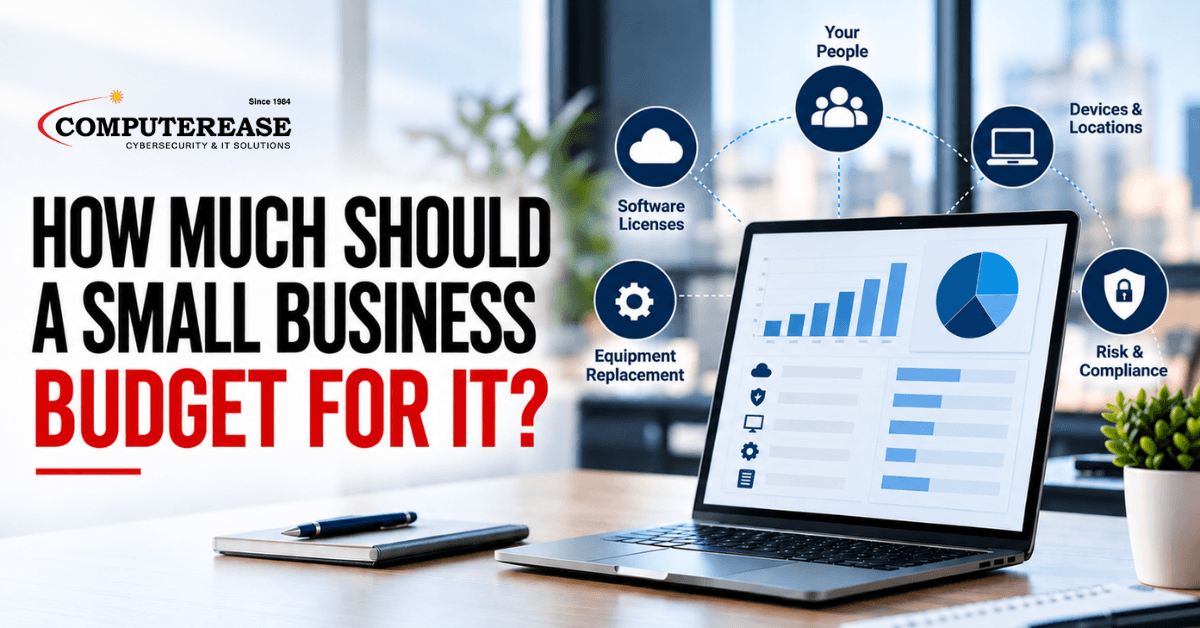
The short answer: there is no honest one-size number. What a small business should spend on IT depends on how many people you have, how many devices and locations you need to support and protect, and which systems your business cannot run without. For most owners, the budget comes down to one predictable monthly cost for support and security, plus software licenses, a planned schedule for replacing equipment, and any projects you already know are coming. The fastest way to get your real number is to have an IT partner review what you run and build that budget with you.
Why You Will Not Find One Honest Number Online
Search this question and you will see a lot of percentages. They are easy to quote, but they are based on revenue, and revenue is not what drives your IT costs.
Picture two companies with the same annual revenue. One is a 12-person engineering firm running design software. The other is a 60-person distributor with a warehouse, a second location, and an ERP system. A percentage would give them the same IT budget. Their real needs are nothing alike.
That is why a trustworthy answer starts with your business, not an average.
What Actually Drives Your IT Costs
You do not need to become an IT expert to understand your budget. Five things account for most of it:
- Your people: Most software, email, and support costs are priced per user, so headcount is the biggest single factor.
- Your devices and location:. Every computer needs protection and updates, and every office needs its own internet, firewall, and network.
- The systems you depend on: : Accounting software, an ERP, practice management tools, or line-of-business applications all need licensing, support, and backup.
- Your risk and compliance requirements: Healthcare, legal, accounting, and manufacturing firms often face client, insurer, or regulatory security requirements that shape what you need.
- The age of your equipment: Older computers and servers cost more to keep running and eventually need to be replaced, often all at once if nobody planned for it.
One current example: Windows 10 reached end of support on October 14, 2025. Businesses that kept those computers can pay Microsoft for Extended Security Updates, at $61 per device for the first year, $122 for the second, and $244 for the third. For most owners, that rising cost makes replacing the computers the better use of the money. It is exactly the kind of cost a good IT partner puts on your radar before it becomes a surprise.
Where Your IT Money Goes
Most small business IT budgets fall into five buckets:
- Support and security: Help desk support, monitoring, updates, cybersecurity tools, and backup. With managed IT services, this becomes one predictable monthly fee instead of a string of surprise invoices.
- Software licenses: Microsoft 365, industry applications, and phone system seats. Prices change, so this line needs a yearly check. For example, Microsoft raised list prices on several Microsoft 365 business plans on July 1, 2026.
- Equipment replacement: Computers, servers, firewalls, and network gear. Replacing a portion each year keeps spending steady and avoids one large bill.
- Planned projects: A new office, a phone system, a move to the cloud, or rolling out AI tools like Microsoft Copilot.
- A reserve for surprises. A failed switch, a new hire who needs a laptop tomorrow, or a license true-up at renewal.
When a business tells us its IT costs feel unpredictable, the cause is usually buckets three through five. Nobody was planning them, so they arrived as emergencies.
The Easier Way: Let an IT Partner Build the Budget With You
Most business owners do not want to track device ages and license renewals. That is our job. When Computerease works with a business, the budget comes out of the relationship instead of a spreadsheet you maintain yourself.
Here is how that works:
- We start with a review of what you run: Our team looks at your users, computers, servers, network, software, and security so the budget is based on your business, not an industry average.
- We flag risks and aging equipment early: Unsupported computers, missing security controls, and equipment near the end of its life get identified before they turn into downtime or an emergency purchase.
- Your day-to-day IT becomes one predictable cost: Support, monitoring, security, and backup are covered under a managed IT agreement, structured as a 1-Year Initial Agreement, Then Month-to-Month Flexibility.
- We plan the bigger purchases with you: Through our IT consulting services, we map out equipment replacement and upcoming projects so you know what is coming in the next few years.
- We revisit it as you grow: New staff, new locations, and new requirements change the numbers. We adjust the plan with you instead of leaving you to discover the gaps.
Already have an internal IT person? Co-managed IT lets them keep day-to-day ownership while our team adds help desk depth, security tools, and planning support.
What to Ask When You Compare IT Quotes
If you are collecting quotes from IT companies, the monthly price only tells you part of the story. Ask every provider the same questions:
- What exactly is included in the monthly fee, and what is billed separately
- Are security tools, backup, and email protection included, or extra?
- Are onsite visits and after-hours support covered?
- What does it cost to set up a new employee or remove a departing one?
- Will this meet the security questions on our cyber insurance application?
- Who plans our equipment replacement and tells us what is coming next year?
- What is the contract term, and what happens if we are not satisfied?
A lower quote that leaves out security or onboarding just moves that cost somewhere else. Our IT Services Buyer’s Guide walks through the common pricing models and the contract clauses worth reading closely.
Signs Your Current IT Spending Is Not Working
Sometimes the question is not “how much should we spend?” but “why does what we spend feel like it is not working?” Watch for these signs:
- IT invoices that change every month with no clear explanation
- The same problems coming back after they were “fixed”
- No plan for replacing computers until one fails
- Nobody can tell you exactly what your IT provider covers
- Scrambling to answer security questions on an insurance renewal
If any of those sound familiar, the issue is usually a lack of planning, not the size of the budget.
How Computerease Helps Businesses Across Missouri & Illinois
Computerease is a family-owned IT services company that has helped businesses plan and manage their technology since 1984. We support manufacturers, healthcare practices, law firms, accounting firms, professional services companies, and local government across Missouri & Illinois, with offices serving the Greater St. Louis area, Chicago and the western suburbs, and Central Illinois.
We give you a clear, predictable IT budget, a team that plans ahead with you, and security built in from day one. And we stand behind our work with a 100% money-back guarantee.
Ready to find out what your business should actually be spending? Book a free discovery call and we will walk through your current setup, your costs, and where you are headed. Want a head start first? Try our free interactive IT Budget Checklist.
Need Help Planning Your 2027 IT Budget?
Not sure what should stay, what needs to be replaced, or where cybersecurity and other technology projects fit into next year’s budget?
Schedule a free 30-minute IT budget planning call with our team. We’ll talk through your current environment, upcoming needs, and priorities to help you get a clearer picture of what should be part of your 2027 plan.
Frequently Asked Questions
No single percentage fits every business. IT costs follow your people, devices, locations, and the systems you cannot run without, not your revenue. The most reliable number comes from a review of what you actually run.
Quotes differ mostly in what they include. One provider may bundle security tools, backup, onsite visits, and new-user setup, while another bills those separately. Compare the scope line by line before comparing the monthly price.
At a minimum, ask whether it covers help desk support, monitoring and patching, security tools, backup, onsite visits, and setup for new employees. Ask what is billed extra, such as projects, hardware, and after-hours work.
Yes. A good IT partner reviews your current technology, flags aging equipment and security gaps, and turns that into a predictable monthly cost plus a plan for upcoming purchases. Computerease does this for businesses across Missouri & Illinois as part of its managed IT and IT consulting services.
At least once a year, ahead of renewals, and again whenever you add staff, open a location, or take on new compliance requirements.