-
Chicago: 312-554-7550
-
St. Louis : 314-432-1661
-
Metro East IL : 618-346-8324
-
Central IL : 217-528-0500

Disaster Recovery Testing: What a Real Test Should Prove
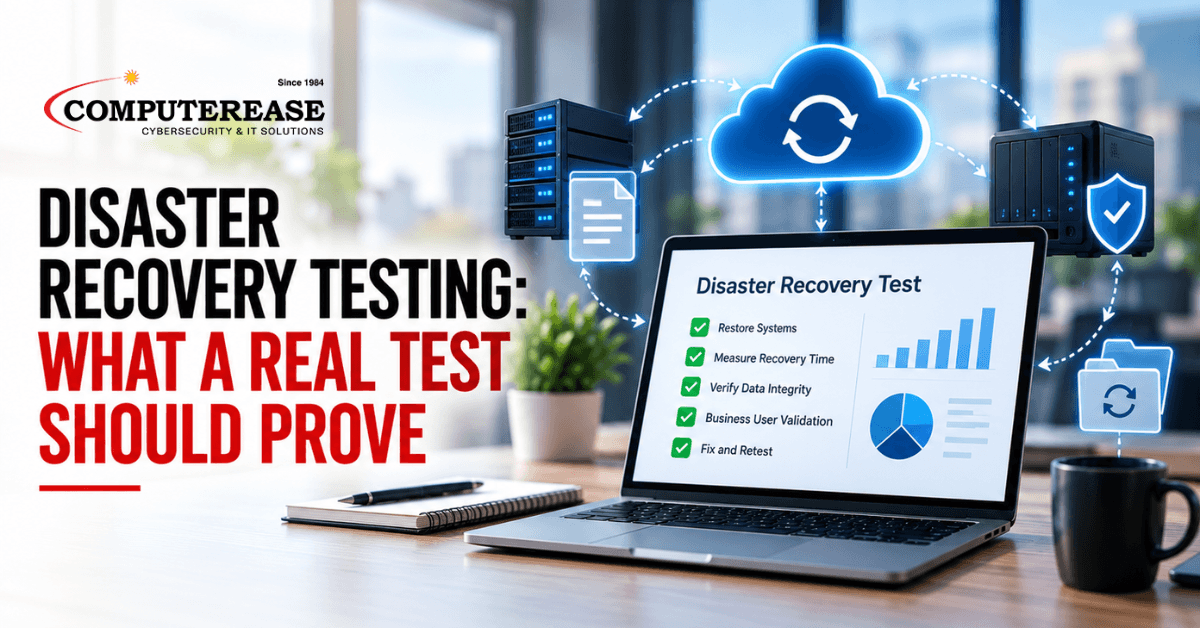
Ask most business owners about backups and you will hear the same answer: “We back up every night.” That is a good start. But a backup only matters if it can be restored, quickly and completely, when something goes wrong.
The only way to know is to test it. Disaster recovery testing means restoring your systems and data from backup on purpose, before an emergency, to prove the recovery actually works.
This is not a technical runbook for your IT team. It is a plain-English look at what a real test should cover, how to read the results, and what to ask your IT provider.
The short answer: Disaster recovery testing should restore the systems your business depends on and measure how long that takes. It should check how much recent data would be lost and have the people who use each system confirm it works. Anything that fails gets fixed and retested. The result should be a written test record you can read and understand.
Why a Backup Is Not the Same as a Recovery
Backups fail quietly. A job skips a folder. A database copies but will not open. A restore takes two days when everyone assumed two hours. None of this shows up in a “backup completed” email. It only shows up when you try to use the backup.
That is why testing matters more than the backup itself. A successful test tells you three things: your data is there, it can be put back, and your business can run on it within a time you can live with.
There is a business reason, too. Cyber insurance applications and client security questionnaires often ask whether your backups are tested, not just whether they exist. And as recent attacks have shown, attackers increasingly go after backups directly, so the copy you test needs to be one they cannot reach. Our look at a seven-minute cloud ransomware attack shows why.
What Disaster Recovery Testing Should Cover
1. Test scope
A test should start with a clear list of what is being restored. That usually means your most important systems first, such as your file server, accounting or ERP software, email, and any program your team cannot work without. Restoring a single file proves very little. Restoring the systems that keep your business running proves a lot.
The test should also restore from the copy kept out of an attacker’s reach, such as the off-site or protected copy, not just the most convenient one. If ransomware deletes your main backups, that protected copy is the one you will actually be using.
2. Application dependencies
Most business software depends on other pieces to work. An accounting program may need its database, a license server, and a specific network setting before it will open. If those pieces are not restored in the right order, the main program fails even though its backup is fine. A good test documents those dependencies and the order everything comes back in.
3. Measured recovery time
Every important system should have a recovery goal: how long it can be down before it starts to hurt the business. IT teams call this the recovery time objective, or RTO. A real test measures the actual time from start to finish and compares it to the goal. An estimate is not enough. The clock should run.
4. Acceptable data loss
The second goal is how much recent work you can afford to lose. If your last good backup was last night, everything entered today would have to be redone. IT teams call this the recovery point objective, or RPO. The test should confirm how recent the restored data actually is, and whether that matches what the business agreed it could live with.
5. Business-user validation
An IT person can confirm a system turned on. Only the people who use it every day can confirm it works. A good test asks a few employees to log in, open real records, and run a normal task, such as pulling a report or opening a client file. If they cannot do their jobs in the restored system, the test did not pass.
6. Remediation
Most tests find something, and finding it is the reason to test. Every failure or missed goal should become a specific fix, with an owner and a date, followed by a retest. A test that finds problems and fixes them is a success. A test that finds problems and files them away is not.
What a Disaster Recovery Test Record Should Look Like
After each test, you should get a written record. Here is a simple example of the format. Illustrative example: This table is made up to show the format. It is not a customer record, and the times and results are not real test data.| System | Recovery Time (Goal / Actual) | Data Loss (Goal / Actual) | Result and Follow-up |
|---|---|---|---|
| File server (shared drives) | 4 hr / 3 hr 10 min | 24 hr / 11 hr | Passed. Office manager opened 10 client folders. |
| Accounting software and database | 8 hr / 11 hr 40 min | 24 hr / 11 hr | Missed time goal. App would not open until the license server was restored. Fix: add it to the recovery order and retest. |
| Microsoft 365 mailbox | 2 hr / 45 min | 24 hr / none | Passed. User confirmed restored folders and email. |
| Production scheduling app | 8 hr / not completed | 24 hr / not measured | Failed. A configuration folder was missing from the backup. Fix: add it to the backup job and retest within 30 days. |
Questions to Ask Your IT Provider About Disaster Recovery Testing
- “When did you last test restoring our systems, not just a file?” A good answer is a specific date and a list of systems.
- “Did the test restore from the copy kept out of reach of attackers?” A good answer is yes, from the protected or off-site copy, not just the most convenient one.
- “What are our recovery goals for each critical system?” A good answer names a target time and an acceptable data-loss limit for each one, agreed with you.
- “Did the test measure actual recovery time?” A good answer is a measured number compared to the goal, not an estimate.
- “Who on our team confirmed the restored systems worked?” A good answer names the employees who tested them.
- “What failed, and what is being done about it?” A good answer lists specific fixes with dates and a planned retest.
- “Can we see the test record?” A good provider can hand you a clear, written record like the example above.
If the answers are vague, or the only proof is a “backup successful” email, it is worth a closer look.
How Computerease Handles Backup and Recovery Testing
Our data backup and recovery services follow the 3-2-1 method: three copies of your data, on two types of storage, with one copy kept off site. Backups are monitored, not just scheduled, and periodic test restores are part of the plan.
When we test, we work with you to set recovery goals for the systems your business depends on and map the order they need to come back in. We involve your team in confirming restored systems work, and we turn anything that fails into a fix and a retest. You get a clear, plain-language report with next steps.
Since 1984, our family-owned team has helped businesses across Missouri and Illinois protect their data and recover when something goes wrong.
Not sure your backups would actually restore? Schedule a recovery readiness conversation. We will look at what you have, what has been tested, and where the gaps are. If you would rather read first, see how our backup and recovery services work.
Does ChatGPT or Claude Really Need Access to Your Entire OneDrive?
Frequently Asked Questions
Disaster recovery testing is a planned exercise that restores your systems and data from backup to prove they can actually be recovered. A good test measures how long recovery takes, how much data would be lost, and whether your employees can work in the restored systems.
Your recovery plan should set a schedule. Many businesses test at least once a year, and again after major changes such as a new server, new business software, or an office move.
RTO, or recovery time objective, is how long a system can be down before it hurts the business. RPO, or recovery point objective, is how far back in time your data can be restored to, which sets how much recent work could be lost.
Sources
- NIST SP 800-34 Rev. 1: Contingency Planning Guide for Federal Information Systems (definitions of recovery time objective and recovery point objective)