-
Chicago: 312-554-7550
-
St. Louis : 314-432-1661
-
Metro East IL : 618-346-8324
-
Central IL : 217-528-0500

The 2027 IT Budget Planning Guide for Growing Businesses
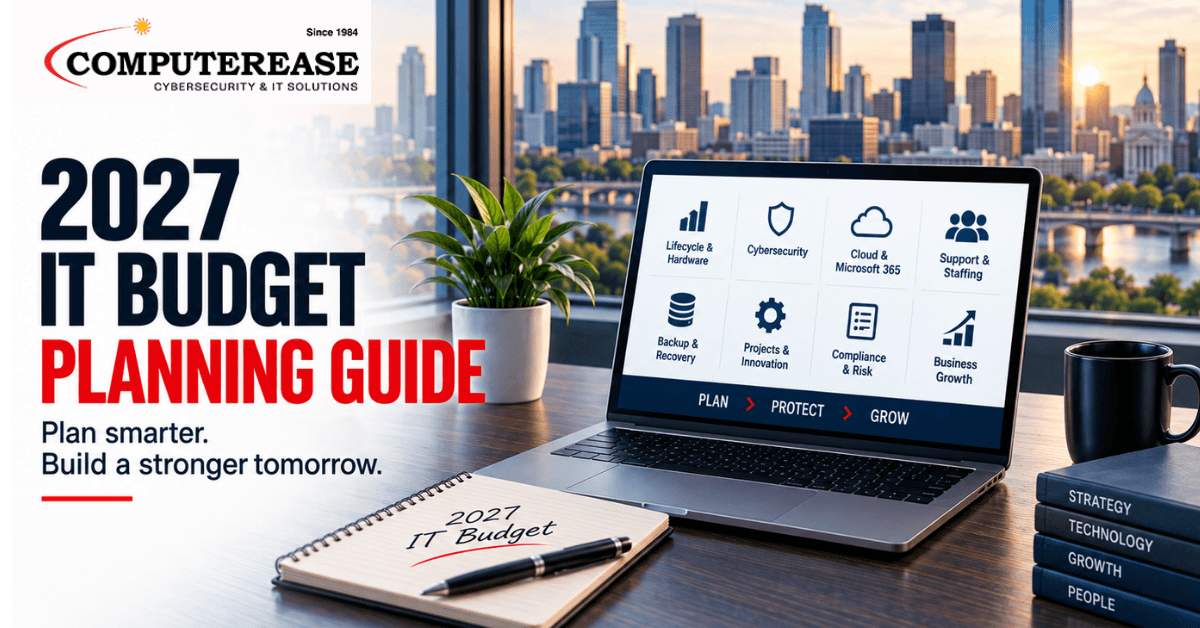
A good IT budget does more than renew licenses and swap out a few old laptops. It connects what you spend on technology to the work your business can’t afford to stop: serving customers, making products, protecting private information, billing correctly, and keeping people productive. Start with those outcomes, figure out what’s putting them at risk, and then fund the fixes in the right order.
If you run a business in Missouri or Illinois, September is a good time to start. There’s still enough of the year left to check your systems, test your backups, review contracts, get quotes, and make real decisions before next year’s budget gets locked in. This guide is built for growing companies that don’t have time to waste and no interest in buying technology just to buy it.
Start With What the Business Needs, Not What’s for Sale
Before you talk about firewalls, cloud subscriptions, or which laptop to buy, write down what’s actually changing in the business next year. Opening a location? Hiring 20 people? Adding a shift? Buying another company? Moving offices? Rolling out some kind of AI tool? Every one of those changes how much support you need, how you manage logins, how you connect offices, how you protect data, and what you’re exposed to.
Then figure out which day-to-day work actually makes money or protects trust. A manufacturer probably cares most about keeping the production line connected. A law firm cares about getting to documents fast and keeping email private. A construction or engineering firm depends on sharing big files and working from job sites. A company with more than one office needs every location running the same way.
Use our 2027 IT Budget Checklist to make sure you don’t miss the key technology, security, support, and recovery costs when building your budget.
1. Build a Complete List of What You Own
You can’t budget for what you can’t see. Put together a current list of computers, servers, network equipment, phone systems, cloud apps, domains, vendors, warranties, licenses, and admin accounts. Note who owns each one, when it renews, whether it’s still supported, and whether anyone’s actually using it.
This step usually turns up duplicate software, licenses still assigned to people who left, devices nobody’s tracking, internet connections nobody’s looked at in years, and important applications with no clear owner. Those aren’t just paperwork problems. They cost money, and they slow you down when something breaks because nobody has a clear map of what you have.
2. Replace Aging Equipment Before It Fails, Not After
Waiting until something breaks is the expensive way to do this. An old server, an outdated firewall, an overloaded Wi-Fi network, or a fleet of unreliable laptops can turn a predictable purchase into an emergency. For each type of equipment, write down its age, whether it’s still under warranty, whether the manufacturer still supports it, how it’s performing, and what happens to the business if it fails.
Don’t replace everything on the same schedule just because that’s easier to remember. Prioritize by what the equipment does and what’s at risk. A computer running a critical application matters more than a rarely used conference-room screen. A firewall facing the internet with no security updates should move ahead of an old, isolated piece of equipment that’s stable where it sits.
Build a rolling replacement schedule that spans a few years. It spreads out the cost, makes purchasing more predictable, and keeps you from putting everything off until three systems break in the same month.
3. Fund Security Outcomes, Not Just Security Tools
A list of security subscriptions doesn’t prove your business is protected. Budget around what those tools are supposed to accomplish: knowing what you have, controlling who can get to what, patching the vulnerabilities that matter, catching suspicious behavior, containing an incident when one happens, recovering cleanly, and being able to explain what happened afterward.
The 2026 Verizon Data Breach Investigations Report found that hackers exploiting software vulnerabilities caused 31% of breaches, and ransomware showed up in 48% of them. That should change where you put your attention: keeping an accurate inventory and patching things quickly deserves the same executive attention as email security and employee training. The goal isn’t to chase every headline. It’s to close off the paths attackers use most and limit the damage if one thing slips through.
For most small and mid-sized businesses, the basics include multi-factor authentication (a second step, beyond a password, to prove it’s really you logging in), managed endpoint protection (software that watches laptops and servers for suspicious activity and can shut it down automatically), monitoring for email and account takeovers, firewall and remote-access management, regular scanning for known vulnerabilities, keeping logs of who did what so you can piece together what happened if something goes wrong, employee security training, tested backups, and a written plan for what to do during an incident. The exact mix depends on your data, your industry’s requirements, what your customers expect, and how much risk you can tolerate.
Use a real framework to decide what comes first instead of guessing. The Center for Internet Security lays out a starting list of essential security practices — called Implementation Group 1 — that every business should have in place before moving to more advanced controls. A framework like this turns a pile of purchases into an actual plan and makes it easier to explain why something’s in the budget.
4. Treat Microsoft 365 and Logins as Core Infrastructure
Email, shared files, Teams, and cloud apps hold most of a company’s daily work now, which makes employee logins a prime target. Budgeting for Microsoft 365 needs to cover more than license counts. It should include secure setup, reviewing who has admin rights, a real process for onboarding and offboarding employees, rules that block sign-ins that look risky (a new device, a new country, an unusual time), stronger login methods for higher-risk accounts, keeping records of who accessed what, backup decisions, and ongoing monitoring.
Microsoft reported in May 2026 that a phishing campaign hit more than 35,000 users across over 13,000 organizations using a technique that captures your password and your login session through a fake sign-in page, bypassing some forms of MFA that aren’t built to resist it. That doesn’t mean MFA is useless. It’s still the foundation. It means setup, monitoring, employee awareness, and a plan for responding all have to work together, not just one of them.
Also decide how AI shows up in Microsoft 365 and other tools your team uses. Decide which tools employees can use, what information they’re allowed to type into them, what permissions an AI tool or agent gets, who approves a new use case, and how you shut off access when needed. A short written policy and a simple approval step cost far less than cleaning up after uncontrolled access later.
5. Budget for Support Capacity, Not Just Software
Every plan assumes someone will set it up, watch it, document it, answer your team’s questions, and respond after hours. That person’s time is usually the thing missing from the budget. Estimate how much support you’ll need based on headcount growth, number of locations, business hours, big projects, compliance work, vendor relationships, and how many different platforms you’re running.
An internal IT person can know your business inside and out and still not have 24/7 monitoring, security specialization, extra hands for projects, or vacation coverage. Co-managed IT fills specific gaps without replacing your team. If you don’t have internal IT at all, a fully managed setup, with help desk, monitoring, security, vendor coordination, and planning all under one provider, might make more sense.
When you’re comparing options, look past the hourly rate. Ask who actually answers the phone, whether support is local or overseas, what’s included in the monthly fee, how escalations are handled, which security tasks someone is actively managing (not just selling you), what reporting you’ll actually see, and how projects get scoped. A cheap line item gets expensive fast when nobody’s clear on who’s responsible for what.
6. Budget for Recovery, Then Actually Test It
A green “backup successful” message only tells you a job ran. It doesn’t tell you whether the right data got captured, whether the copy is safe from an attacker, whether you can rebuild an application in the right order, or whether your employees can keep working while you’re restoring things. Budget for backup storage and software, but also for testing, documentation, the infrastructure recovery needs, and the staff time it takes to actually run a drill.
For each critical part of your business, define two numbers: how long can it be down, and how much recent data can you afford to lose. A system that can sit offline for two days doesn’t need the same investment as one that stops billing or production in 30 minutes.
At least once a year, actually restore some files and a critical system in a controlled test. Check permissions, application dependencies, contact information, and who’s allowed to make the call to proceed. Write down how long it took and everything that got in the way. That’s your real evidence for the budget: leadership can see what recovery actually takes today, and what fixing it would be worth.
7. Don’t Forget Internet and Phone Backup
Cloud apps and phone systems are only as reliable as the connection reaching them. If an internet outage would stop the business at a given location, look at a backup internet connection, automatic failover, network monitoring, and battery or power protection. Make sure the backup connection doesn’t run through the same physical line or provider as your main one, otherwise it’s not really a backup.
Phone continuity deserves the same attention. Can calls reroute automatically if the office goes down? Can employees answer calls from their phone or laptop if they’re not in the building? Are your emergency contacts and call-routing rules actually current? These are operational questions, not just phone-company details.
8. Check Your Contracts, Compliance, and Insurance Requirements
Customer contracts, industry rules, cyber-insurance applications, and vendor security questionnaires can all create technology obligations you’re already committed to. Pull these together before you budget. Look for anything related to access control, logging, encryption, notifying people after an incident, testing, data retention, and recovery. Then assign each promise an owner and a way to prove it’s being done.
Don’t assume a tool automatically satisfies a requirement just because you bought it. Something has to actually configure it, run it, review it, and document it. And don’t answer an insurance questionnaire based on what you plan to do eventually; answer based on what’s actually in place. Honest answers protect your coverage and show you exactly where the budget needs to close a gap.
9. Sort Spending Into Three Buckets
Organize what you’re proposing into three groups so leadership can compare things that don’t look alike at first glance.
- Run: the recurring stuff that keeps the business operating today, like support, licenses, connectivity, monitoring, maintenance, and backup.
- Protect: work that lowers risk, like replacing unsupported systems, tightening login security, fixing known vulnerabilities, testing recovery, and strengthening how you respond to incidents.
- Advance: projects that grow the business or make it more competitive, like automation, a cloud move, expanding to a new office, better reporting, or a well-governed AI use case.
For every item, write down the outcome, the timing, who owns it, what it depends on, the one-time cost, the ongoing cost, what happens if you wait, and how you’ll know it worked. That turns the conversation from “IT wants another tool” into something finance can actually evaluate.
10. Prioritize by Risk, Urgency, and What It’s Worth to the Business
When the wish list is bigger than the budget, score each item against the same questions. Does it fix a known vulnerability that’s actively being exploited, or an unsupported system? Does it protect a workflow tied to revenue or a contract? Does something else depend on finishing this first? Is the current workaround eating up real staff time? Will waiting make this more expensive or harder to fix later?
Fund the items that are both high-impact and urgent first. Spread the rest across the year in a sequence that makes sense. A plan is credible when the dependencies and risks are spelled out. A list of stuff labeled “someday” is not.
What Should Actually Be in a 2027 IT Budget?
- Hardware and lifecycle replacement: computers, servers, network gear, power protection, warranties, spares
- Cloud and software: Microsoft 365, your line-of-business apps, backup, collaboration tools, logins, and license growth
- Managed support and staffing: help desk, monitoring, on-site visits, co-managed capacity, after-hours response, planning
- Cybersecurity: logins, email, device protection, network security, vulnerability management, logging, training, testing, incident response
- Resilience: backup, disaster recovery, recovery drills, backup internet, phone continuity
- Projects: migrations, office moves, acquisitions, compliance work, automation, AI governance, process improvements
- Contingency: a clearly managed reserve for the failures and urgent problems you can’t predict
A Practical Next Step
Pull together your current recurring costs, your asset list, your renewal calendar, your big 2027 plans, and whatever’s worrying you operationally, and bring it all into one planning conversation. Computerease has worked with businesses across Missouri and Illinois since 1984, and we can help you sort out lifecycle, support, cybersecurity, cloud, and recovery priorities and turn them into a plan with real phases and real numbers.
Build Your 2027 IT Budget
Use the checklist below to review the technology expenses, risks, and projects that should be part of your 2027 planning. You’ll work through your current IT environment, cybersecurity, equipment, support, upcoming projects, and other areas that can affect next year’s budget.
Start Your 2027 IT Budget Checklist
Enter your information to begin the checklist.
Need Help Planning Your 2027 IT Budget?
Not sure what should stay, what needs to be replaced, or where cybersecurity and other technology projects fit into next year’s budget?
Schedule a free 30-minute IT budget planning call with our team. We’ll talk through your current environment, upcoming needs, and priorities to help you get a clearer picture of what should be part of your 2027 plan.
Frequently Asked Questions
There’s no honest one-size-fits-all percentage. It depends on your headcount, industry, number of locations, how much aging equipment you’re carrying, how much you rely on the cloud, your security obligations, your internal staffing, your growth plans, and how much downtime you can tolerate. Build the number from an actual inventory and risk review, then track your recurring cost per employee or per location over time to see how it’s trending.
Start by figuring out what you actually have: devices, software, vendors, renewal dates, admin accounts, warranties, and who owns each one. Mark down what you don’t know. Your first budget might need to fund getting your records straight before you can make bigger decisions safely.
Leadership should be able to see what you’re spending on security and what it’s accomplishing, whether that’s a separate line or built into your overall IT budget. Just don’t plan security separately from everything else. Patching, logins, backups, support, and incident response all depend on each other.
When your internal team knows the business well but doesn’t have the coverage, specialized security skills, tools, or extra hands for projects. Put in writing exactly what your team owns and what the partner owns, so it reduces your workload instead of adding another thing to coordinate.
Check performance and risk at least every quarter, and revisit the whole plan after anything major, like a security incident, an acquisition, an office move, or a big vendor change. The annual plan sets the direction. The quarterly check-ins keep it honest.
Sources
- Verizon: 2026 Data Breach Investigations Report
- Center for Internet Security (CIS): CIS Critical Security Controls Implementation Groups
- Microsoft Security: Breaking the code: Multi-stage “code of conduct” phishing campaign leads to AiTM token compromise