

Computerease

Category: Blog

The Silent Email Threat: What Business Owners Need to Know About Token Theft

The Silent Email Threat: What Business Owners Need to Know About Token Theft

Most business owners feel pretty confident about their email security. After all, you’ve got a spam filter in place. Your team uses multi-factor authentication. You’ve invested in cybersecurity awareness training. So you’re covered… right? Not quite. A new type of cyberattack is on the rise, and it’s quietly bypassing many of the traditional protections small and medium businesses rely on. It’s called token theft — and if your IT provider isn’t already talking to you about it, it’s time to ask why. Let’s break down what token theft is, why it’s so dangerous, and what you can do to stop it before it silently drains your bank account, damages your reputation, or exposes sensitive client data. What Is Token Theft (And Why Is It So Dangerous)? Most cloud-based email systems, like Microsoft 365 or Google Workspace, use access tokens to keep you logged in. These tokens are what allow you to stay signed in even after you close your browser or restart your computer. Here’s the problem: Hackers have figured out how to steal those tokens — and once they do, they can access your email account without ever needing your username or password. Even multi-factor authentication won’t stop it. Think of it like this: you check in at a hotel and receive a keycard to your room. Token theft is like someone duplicating that keycard without your knowledge. They don’t need to check in again — they just walk into your room like they belong there That’s what makes this threat so dangerous. You don’t get a login alert. Nothing looks out of place. Meanwhile, a cybercriminal is quietly reading your emails, intercepting invoices, and preparing to steal your money — or worse, impersonate your business. The Real-World Impact on SMBs This isn’t a “what-if” scenario. Token theft is already happening — and it’s hitting small and medium businesses the hardest. Why? Because most smaller companies don’t have enterprise-level threat detection in place. Once a hacker gains access to a mailbox, they often sit quietly and watch — learning about your financial workflows, your vendors, and your internal communication patterns. Then they strike: A fake invoice is sent at just the right time. A wire transfer request is forwarded from a “trusted” contact. Sensitive information is exported and used for further attacks. These aren’t mass email blasts or clumsy scams. They’re well-researched, well-timed, and devastating. We’ve seen attacks cost businesses from $50,000 to over $1 million. In many cases, the breach wasn’t discovered for weeks. What Your Email Security Might Be Missing If your current cybersecurity setup relies on spam filters, basic firewalls, or even standard Microsoft 365 protections, you may be more vulnerable than you think. Here’s why: Spam filters don’t catch links that lead to token theft — especially if the email comes from a trusted sender whose account has already been compromised. Multi-factor authentication (MFA) doesn’t protect against token theft – not even a little. Standard antivirus tools don’t monitor real-time login activity or detect attacker-in-the-middle behavior such as token theft. This is why email security today needs to go beyond these traditional defenses. What You Can Do Right Now You don’t have to become a cybersecurity expert overnight — but you do need to work with someone who understands this evolving threat landscape. Here are three simple but powerful steps to take: Implement Conditional Access to your cloud email systems Controls such as allowing login only from trusted or approved devices or locations can help reduce token theft Train your team to recognize and ignore or delete Phishing emails Implement a solution such as Computerease Sentinel for Microsoft 365 which monitors your tenant 24x7x365 for abnormal logins and token theft and automatically locks a compromised account. Even the best software can’t stop a well-crafted click. Human awareness is still a key part of your defense. Staying Ahead of This Threat At Computerease, we’re working with businesses across the Midwest to lock down email security with modern, real-world solutions — including token theft detection, ongoing employee education, and hands-on IT guidance that makes sense for your business size and goals. We’re not just here to fix broken tech. We’re your Trusted Technology & Cyber Advisor, focused on long-term protection, smart growth, and peace of mind. Let’s Make Sure Your Email Isn’t the Weak Link If you’re not 100% sure your Microsoft 365 or Google Workspace accounts are protected from token theft, let’s talk. We’ll help you review your current setup and show you exactly where the risks are — and how to fix them. Call us today to get started securing your email — before attackers slip in unnoticed.

Read More

Fans First Strategy Catapults Savannah Bananas to Wild Success

Fans First Strategy Catapults Savannah Bananas to Wild Success

What Small Businesses Can Learn About Putting People First in the Age of AI Everything I was sitting in a room full of small business owners at a recent industry conference when a man in a bright yellow tuxedo stepped onto the stage. That man was Jesse Cole, the owner of the Savannah Bananas baseball team—and within five minutes, he had everyone in the room rethinking what it means to run a successful business. You may have heard of the Savannah Bananas. If not, here’s the quick version: it’s a baseball team that nobody wanted… until Jesse and his team made the radical decision to build an organization that puts “Fans First.” They ditched tradition, ignored what was “normal,” and focused instead on giving fans an experience they’d never forget. Now, they have sold-out crowds, millions of followers, and an army of loyal fans. Why am I talking about this on a business technology blog? Because Jesse’s message was crystal clear: putting people first never goes out of style. And in a world where even your microwave can be powered by AI, that lesson couldn’t be more relevant. What the Savannah Bananas Got Right Jesse Cole didn’t build a baseball team the way experts said he should. He went against every logical business rule in the book. He named the team after a fruit. He dressed the players in yellow. He let fans vote on who would pitch. The umpires dance. The rules are different. Nothing about it makes sense, until you see the joy on the faces of the crowds in the stands. Everything they do is guided by a simple philosophy: Fans First. They radically listen to their audience. They remove barriers. They surprise and delight. They put humans, not spreadsheets, at the center of every decision. And the result? They’ve created one of the most successful sports entertainment brands in the country, with zero reliance on traditional advertising or mass media. Just pure, unforgettable human experience. Why That Resonates Now We’re living in the age of “AI everything.” You can talk to a chatbot to schedule a dentist appointment. Your fridge can recommend recipes. There’s software to write your emails, respond to your customers, and automate your inbox. There’s nothing wrong with that—AI has its place. But here’s the catch: AI would’ve never told Jesse Cole to buy a failing baseball team and name it after fruit.AI wouldn’t have said, “Let’s put players in kilts and have dancing grandmas lead the crowd.” AI would’ve said, “Stick to the playbook. Follow the data. Be efficient.” But great businesses aren’t built on efficiency alone. They’re built on relationships, personality, surprise, and service. Why We Still Believe in Old-Fashioned Customer Service At Computerease, we serve small and midsize businesses throughout Illinois and Missouri. Our clients are smart, resourceful, and growth-minded. They also don’t have time to waste. They need real answers, fast support, and trustworthy advice. That’s why we’ve never automated away the personal touch. We still believe in picking up the phone.We still believe in showing up.We still believe in listening—really listening—to what our clients need. People call this “old-fashioned” customer service. We just call it doing the right thing. While we stay on top of the latest in AI tools, cybersecurity, and IT systems, we never lose sight of who we’re serving: real people running real businesses. Balancing Innovation and Human Connection Let me be clear: I’m not anti-AI. In fact, we see AI as a valuable tool that can enhance productivity, improve business decision-making, and free up time for building a business. When used with intention, AI allows small and medium businesses to operate more efficiently, without losing the personal touch that truly sets them apart. But here’s what AI can’t do: It can’t ask a follow-up question with genuine curiosity. It can’t offer reassurance in a tough moment. It can’t understand the nuance of a long-standing relationship. That’s why we don’t use AI to replace our team—we use it to support them. We use technology to eliminate the busy work, so our people can focus on what they do best: showing up for our clients with clarity, care, and commitment. AI Can’t Replace Great ServiceWhat stuck with me the most from Jesse’s talk wasn’t the yellow tuxedo or the dancing umpires. It was this idea: No one remembers “good enough.” They remember “unforgettable.” In business, unforgettable comes from the restaurant that remembers your name, the accountant who patiently walks you through a confusing form, or the company that picks up the phone when no one else will. It’s about being treated like a person, not a number. As technology continues to streamline and scale so many areas of business, it’s easy to overlook the one thing clients value most: real human connection. If you’ve ever yelled “speak to a representative!” into a phone tree or had a chatbot completely miss the mark, you already know what I mean. That’s why, at Computerease, no matter how advanced our tools get, we’ll always have a real live person answering the phone 24/7/365. It’s non-negotiable. No matter how advanced technology and AI become, the businesses that succeed won’t be the ones with the flashiest tools. They’ll be the ones that remember who they’re serving because unforgettable service starts with people first.

Read More
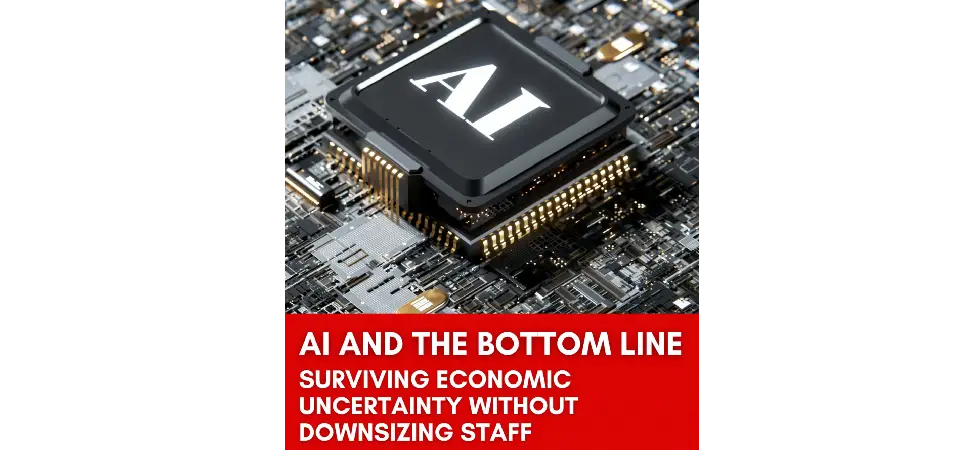
AI and the Bottom Line: Surviving Economic Uncertainty Without Downsizing Staff

AI and the Bottom Line: Surviving Economic Uncertainty Without Downsizing Staff

The economic signals in 2025 are mixed. Inflation lingers, interest rates are unpredictable, and businesses are being squeezed from all sides. For small and medium business owners, there’s one thing that’s clear: every dollar needs to work harder. Historically, the go-to move during economic pressure has been cutting costs through layoffs. But today, that’s not just risky, it’s short-sighted. Good people are hard to find, even harder to replace, and a great team is essential to staying competitive in a tight market. Instead of cutting people, smart business leaders are turning to a new solution: using AI to supercharge the team they already have. In 2025, smart business owners are flipping the script. Instead of shrinking their teams, they’re using AI tools to reduce workload, automate low-value tasks, and unlock new efficiency—without layoffs or burnout. AI as a Cost-Control Tool—Not Just a Tech Trend Let’s be clear: AI isn’t a gimmick or a buzzword anymore. It’s a practical tool for real-world problems. Here’s where it’s helping small businesses cut costs without cutting people: Admin automation: AI can handle scheduling, draft emails, summarize meetings, and even organize your inbox Marketing support: Generative AI can write content outlines, social posts, and ad copy so your team spends less time starting from scratch Customer service: Chatbots and AI-driven AI driven customer service bots resolve common requests instantly—freeing your staff to handle complex issues Operations: AI tools can track inventory, analyze workflows, and even suggest ways to cut waste or reduce manual steps In other words, you don’t need to hire more people to grow, you just need to equip the ones you already have with new tools and technology to amplify their impact. Your Team Is Still the Heart of Your Business AI doesn’t replace people—it makes them more powerful. Picture this: Your marketing lead uses AI to prep campaign ideas, then focuses on strategy and client targeting Your admin team gets back 10+ hours a week because they’re not manually booking meetings or updating spreadsheets Your operations manager spots inefficiencies faster because an AI tool highlights patterns humans would miss It’s not about job loss. It’s about job elevation. The right tools let your team focus on the things only humans can do: build relationships, think creatively, and solve problems. Where We’re Seeing the Biggest Impact Here are a few areas where we’ve seen clients gain real traction with AI in the last six months: Marketing Tools like ChatGPT or Jasper speed up copywriting Email tools like Lavender improve open rates and reduce time spent on outreach AI-driven ad platforms help identify high-converting messages and audiences Finance AI expense tools flag errors and duplicates Cash flow forecasting gets faster and more accurate Invoice matching and reconciliation are streamlined Operations & Admin Virtual assistants manage meeting notes and follow-ups Smart scheduling tools eliminate back-and-forth emails AI dashboards summarize reports so you can make quicker decisions These aren’t massive enterprise systems—they’re practical tools that small businesses are using right now. Start Small & Think Strategic It’s easy to feel overwhelmed by all the AI platforms out there. Don’t get caught in “shiny object syndrome.” Think strategically and start with something manageable. Here’s what I tell clients: Pick one area where your team feels overwhelmed Choose one tool that solves a real problem (not just something trendy) Get team input early—AI works best when people know why and how to use it Track results: time saved, output increased, or errors reduced AFTER mastering one thing, you can scale to additional areas You don’t have to transform your entire business overnight. Just make one smart move at a time. Survive Now, Thrive Later Times of economic uncertainty can challenge every business. They can also reveal your strengths and determination! If you’re building a company for the long haul, your people are your greatest asset—and the best investment you can make is in tools that help them thrive. AI isn’t about replacing jobs. It’s about protecting them, growing your business, and working smarter when every dollar (and every hour) counts. By implementing AI wisely to augment your existing team, you don’t have to choose between staying lean and staying strong.

Read More

How to Use the Snipping Tool in Windows

https://youtu.be/LHP1CbS_z10 Have you ever needed to quickly capture part of your screen to share an error message, highlight an important detail, or add a screenshot to a document or email? If you’re using a Windows 10 computer, you’re in luck—the Snipping Tool is a built-in feature that makes it easy to take custom screenshots and save or share them. Whether you’re troubleshooting an issue, creating documentation, or simply want to save something for later, the Snipping Tool is a powerful yet simple solution. Let’s walk through how to use it! What Is the Snipping Tool? The Snipping Tool allows you to capture screenshots of specific areas of your screen, annotate them, and save or copy them to use elsewhere. Step 1: Open the Snipping Tool The easiest way to find the Snipping Tool is to use the Search feature in Windows 10. Look at the bottom of your screen on the taskbar. If you see a search bar, click on it and type “snip” or “snipping tool.” If you don’t see the search bar, you might see a small circle icon. Click that to open the search window, then type “snip.” Once the Snipping Tool appears in the search results, you can click to open it. For easier access in the future, right-click the Snipping Tool icon and choose “Pin to taskbar.” This will add it to your taskbar so you can open it anytime with just one click. Step 2: Take a Screenshot To take a screenshot, click the “New” button in the Snipping Tool. The screen will dim slightly, and your mouse pointer will change to a crosshair icon. Here’s what to do next: Use your mouse to click and drag over the area you want to capture. Release the mouse button once you’ve selected everything. The image you captured will appear in the Snipping Tool window. From here, you can either copy, save, or annotate the image. Step 3: Copy and Paste Your Screenshot If you want to paste the screenshot into a document or an email: Click the Copy icon in the toolbar (or press Ctrl + C). Open your Word document, email, or wherever you want to paste it. Right-click and choose Paste, or press Ctrl + V. It’s that easy! Step 4: Annotate Your Screenshot The Snipping Tool also has simple markup tools to help highlight important parts of your screenshot: Use the Pen tool to draw or circle areas. Use the Highlighter to emphasize key information. Made a mistake? Just click the Eraser tool and select what you want to remove. This is great for quick notes or pointing out specific areas when communicating with your IT team or clients. Step 5: Save Your Snip as an Image File Want to keep your screenshot for later or send it as an email attachment? Click File > Save As in the Snipping Tool. Choose your desired file location (by default, it will save to your Pictures folder). Give the file a name—like “Snipping Tool Demo.” Choose your file format: PNG, JPG, or TIFF. (JPG is a good all-around option.) Click Save. Now your screenshot is saved and ready to use in reports, presentations, or emails. That’s It! The Snipping Tool in Windows 10 is an incredibly useful and often overlooked feature. Whether you’re capturing part of your screen, highlighting an error message, or creating documentation, it’s a simple tool that saves time and improves communication. Looking for more tips or tech support? Our team at Computerease is here to help!

Read More

Contact Us Today To
Schedule Your Discovery Call