-
Chicago: 312-554-7550
-
St. Louis : 314-432-1661
-
Metro East IL : 618-346-8324
-
Central IL : 217-528-0500

Office 2021 Support Ends October 13: What Business Owners Need to Know
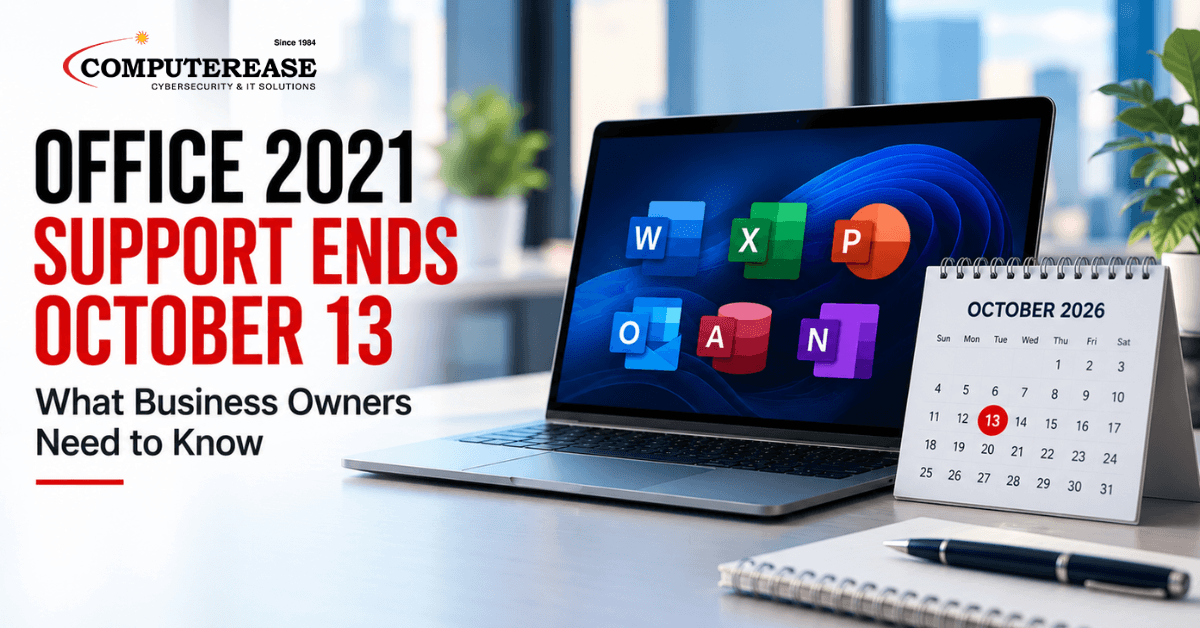
Many small businesses bought Microsoft Office once, installed it, and have used it ever since. No monthly subscription, no changes. If that sounds like your business, there is a good chance you are running the business version of Office 2021. Microsoft ends support for it on October 13, 2026. That is one week away.
Nothing dramatic happens that day. Word, Excel, and Outlook will still open. But Microsoft will stop sending security fixes, and that turns a familiar tool into a growing risk.
You may see this version called “Office LTSC 2021.” LTSC stands for Long-Term Servicing Channel. It is simply Microsoft’s name for the version of Office that businesses buy once through a business license, instead of paying for a subscription. If your business pays for Microsoft 365 every month and uses the desktop apps, this deadline likely does not apply to you.
This is not a technical upgrade manual. It is a plain-English look at what changes, what your options are, and what a smooth switch looks like.
The short answer: The business version of Office 2021, sold as a one-time purchase and officially called Office LTSC 2021, reaches end of support on October 13, 2026. It will keep working, but it will no longer get security fixes, bug fixes, or help from Microsoft. Microsoft recommends moving to Microsoft 365, which stays up to date automatically. Businesses that are not ready for that can move to Office LTSC 2024, the next one-time purchase, supported until October 2029.
How to Tell If This Affects Your Business
You can check any computer in under a minute. On a Windows computer, open Word or Excel, select File, then Account. The product name appears under Product Information. If it says Office LTSC 2021 (for example, Office LTSC Professional Plus 2021 or Office LTSC Standard 2021), this deadline applies. On a Mac, open Word, select Word in the top menu bar, then choose About Word.
The same date applies to Visio LTSC 2021 and Project 2021, which some businesses use for diagrams and project planning. If you bought Office 2021 from a retail store for a single computer, Microsoft has a separate notice for that version, so check it if it applies to you.
If your business pays for Microsoft 365 Business Standard or Business Premium, your desktop apps update automatically and this deadline does not apply. Microsoft 365 Business Basic is different. It includes email and web versions of the apps, but not the desktop apps. Some businesses on Basic still run a one-time copy of Office on their computers, so it is worth checking.
Office 2021 End of Life: Working Is Not the Same as Supported
The most common misunderstanding is that end of support means the software stops working. It does not. Office LTSC 2021 will keep running after October 13, 2026, but Microsoft will no longer fix security flaws in it.
That matters more each month, because Office files are a common way attackers deliver harmful code. There is also a connection issue. Microsoft says older Office versions might still connect to Microsoft 365 services, but “that connectivity isn’t supported.” In practice, Outlook email, OneDrive, and SharePoint may keep working at first, then slowly develop problems that Microsoft will not fix.
There is a business side, too. Cyber insurance applications and client security questionnaires often ask whether you run supported software. Saying it still works usually is not enough.
Your Options After Office LTSC 2021 End of Support
Microsoft recommends moving to Microsoft 365 Apps, the subscription version of Office. It stays current automatically, so there is no future end-of-support date to plan around. It is included in Microsoft 365 Business Standard and Business Premium. If you already pay for one of those plans, you may already own it and just need it installed.
For businesses not yet ready to move to the cloud, Microsoft’s other supported path is Office LTSC 2024, the next one-time purchase. It is supported until October 9, 2029, so you will face this same decision again in about three years.
The choice affects your budget as much as your technology. A subscription is a steady monthly cost, while a one-time license is a larger purchase every few years. Our IT Budget Checklist can help you see where either option fits in next year’s plan.
What a Good Office Upgrade Looks Like
Upgrading Office sounds simple, but the risk is in what depends on it. Excel files that pull data from your accounting system, Word templates with your branding, macros (small programs built into spreadsheets and documents), and add-ins that connect Outlook to your CRM or e-signature tool can all break with a new version.
A well-run upgrade accounts for that before anyone gets moved. Your IT provider should work through these steps:
- Inventory: Confirm which computers run which version of Office, and which licenses you own.
- Find the dependencies: List the add-ins, macros, templates, and connected programs, and flag the ones your business cannot work without.
- Pilot: Upgrade a small group of users from different departments first, and have them use it for normal work for a week or two.
- Roll out in stages: Move the rest of the company in planned groups, outside busy periods, with a way to roll back if something breaks.
- Clean up: Remove the old version and confirm the new one is activated and receiving updates.
Questions to Ask Your IT Provider
- “Which of our computers are running Office LTSC 2021?” A good answer is a specific list, not an estimate.
- “What add-ins, macros, or connected programs could break?” A good answer names them and explains how they will be tested.
- “Should we move to Microsoft 365 Apps or Office LTSC 2024?” A good answer is a recommendation based on how your business works and how you budget.
- “How will you keep work running during the upgrade?” A good answer includes a pilot group, a staged schedule, and a rollback plan.
How Computerease Handles Office Upgrades
Our clients do not track Microsoft support dates or test macros. That is our job. Through our IT consulting and managed IT services, we identify every computer running an affected version, inventory the add-ins and files that depend on it, and recommend the option that fits your business and budget.
Then we pilot the new version with a small group, roll it out in stages, and confirm every computer is updated and secure when we are done. Since 1984, our family-owned team has helped businesses across Missouri and Illinois keep their technology current without disrupting the work.
Still running Office LTSC 2021? Talk with our team about your Office upgrade. We will confirm what you have, compare your options, and map out a plan. If October 13 passes first, that is not a crisis, but the sooner you switch, the shorter the stretch without security fixes.
Frequently Asked Questions
Microsoft ends support for Office LTSC 2021 on October 13, 2026. That includes Visio LTSC 2021 and Project 2021.
No. It will keep opening and working, but it will no longer get security updates, bug fixes, or technical support from Microsoft. Its connections to Microsoft 365 services, such as Outlook email and OneDrive, will no longer be supported either.
Microsoft recommends Microsoft 365 Apps, a subscription that stays current automatically. For businesses not yet ready to move to the cloud, the other supported path is Office LTSC 2024, a one-time license supported until October 9, 2029. The right choice depends on how your business works and how you prefer to budget.