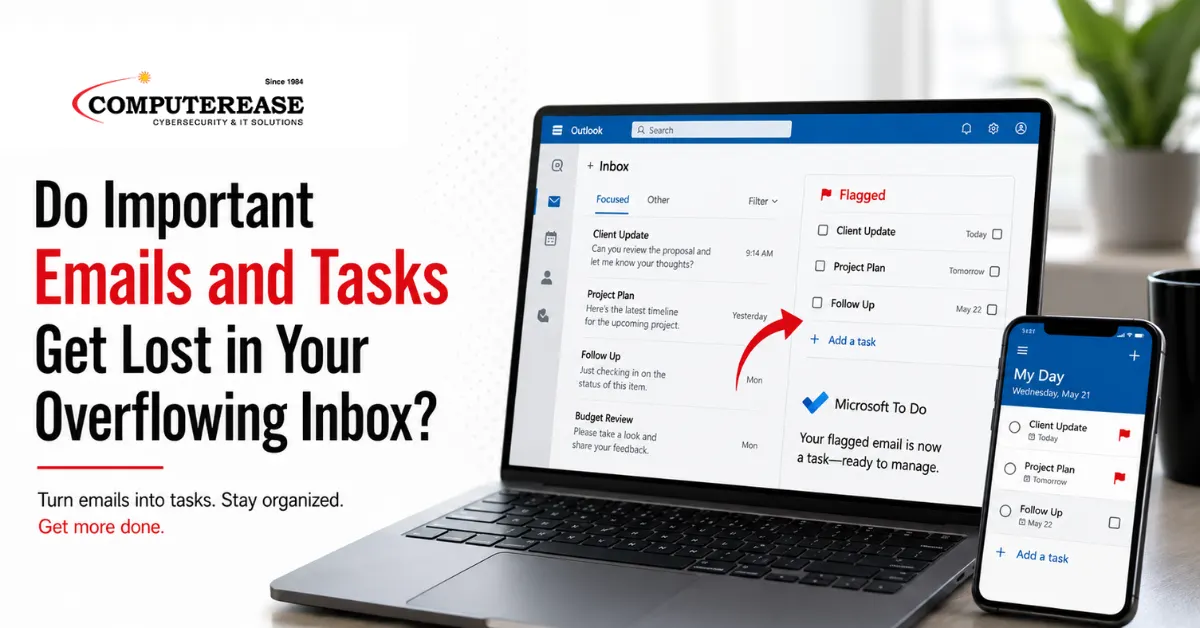
Most inboxes are not just inboxes anymore. They have quietly turned into a place where work is stored, tracked, and sometimes forgotten. An email comes in that needs follow-up, so it stays flagged. Another requires a decision, so it sits near the top. Over time, the inbox becomes a mix of communication and unfinished tasks, and it gets harder to tell what actually needs to be done.
That is usually when things start slipping.
Turn Emails Into Tasks Automatically
One of the more practical ways to manage this is by using flagged emails as part of a task system, not just as visual reminders.
In Microsoft 365, flagging an email in Outlook automatically creates a task in Microsoft To Do. That task includes a preview of the message and a direct link back to the original email, so nothing is disconnected. Instead of leaving work sitting in your inbox, it is immediately captured in a list that is designed to track it.
From there, it can be managed more intentionally. You can set a due date, add a reminder, or mark it complete once the work is finished. It also keeps things contained. The flagged email list will typically show recent items, which helps keep the focus on what still needs attention.
The important shift is that the inbox is no longer responsible for holding your tasks.
Where Copilot Makes This Easier
Copilot helps at the point where most people lose time, which is figuring out what matters inside a busy inbox.
When an email thread gets long, it can summarize the conversation so you can quickly understand what is actually being asked. It can highlight open items and point out follow-ups that are still sitting in the thread. Instead of reading everything line by line, you can move straight to what requires action.
It can also help prioritize. Asking it to focus on unread emails or identify what needs attention today brings some structure to what would otherwise feel like a long list of messages.
A More Practical Way to Work Through Email
A simple approach that works well in practice is to read an email once and decide what happens next.
If it is quick, respond to it. If it requires work, flag it so it becomes a task. If it is no longer relevant, remove it.
From there, your task list becomes the place where work is tracked, not your inbox.
When that system is used consistently, fewer things depend on memory. Emails are still where communication happens, but tasks live in a place where they can be managed clearly, and that is usually the difference between staying caught up and constantly feeling behind.
Complete This Form To Claim Your FREE Cyber Security Risk Assessment