-
Chicago: 312-554-7550
-
St. Louis : 314-432-1661
-
Metro East IL : 618-346-8324
-
Central IL : 217-528-0500

A Daily Workflow That Quietly Wired Money Directly To Cybercriminals
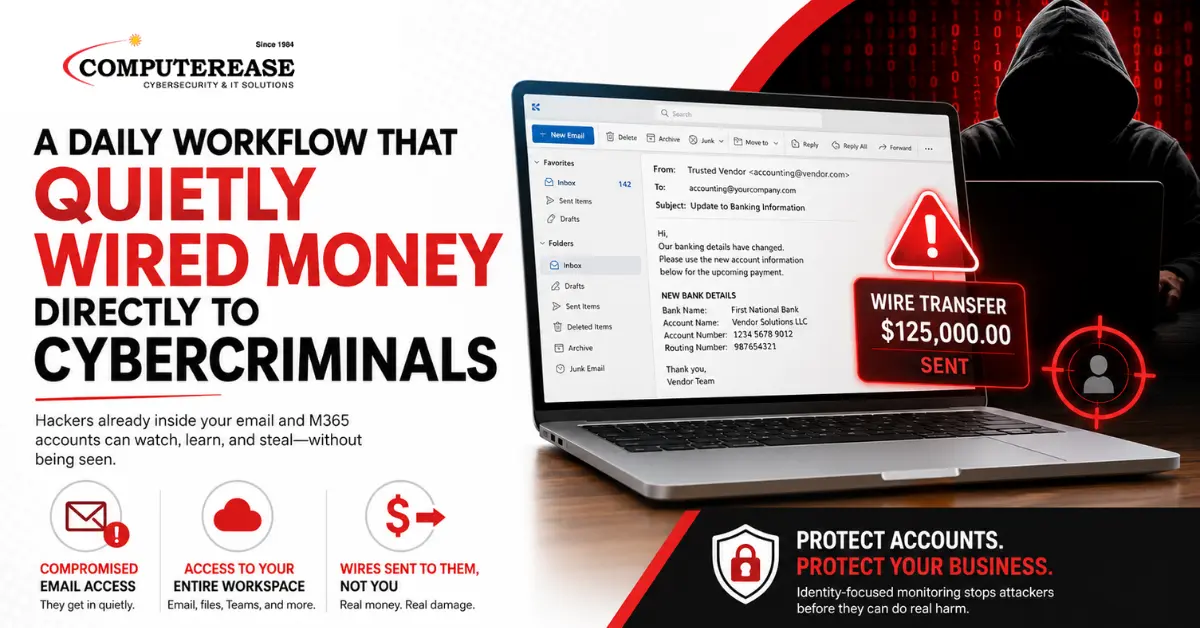
It was a normal morning in accounting, the kind where you are working through invoices, clearing out payments, and trying to stay ahead of everything that needs to get done before the end of the week. Emails were coming in, approvals were being handled, and nothing about the day felt unusual.
A vendor they had worked with before sent an email with an update referencing an invoice that was already in process, explaining that their banking details had changed. It wasn’t an unusual request, and it didn’t raise any red flags. These requests happen all the time, especially with long-term vendors, and the tone matched the way that vendor had communicated in the past.
The team updated the bank account and continued their workday. There were no obvious signs of a hack or anything suspicious. They knew something bad happened days later when the real vendor called asking about the missing payment.
How did this happen?
A hacker logged into an email and M365 account and silently watched and waited until it was the perfect time to strike. Their plan to trick the employees into wiring money directly into their bank account worked.
They could’ve gotten access from a stolen password, token theft, a fake login page that looked real enough to trust, or by clicking on a convincing phishing email. However it happened, the result was the same. The attacker didn’t need to force their way into anything, because they were already inside using a legitimate account.
Email Access Means Access to the Entire Digital Work Environment
Access to an email account is rarely limited to just messages, especially in platforms like Microsoft 365 where email is tied directly into everything else a person uses throughout the day. When someone logs in, they are not just seeing inbox conversations, they are stepping into that person’s entire working environment.
That includes files stored in OneDrive, shared documents in SharePoint, internal conversations in Teams, calendars, attachments, and anything else that account has permission to access. In most businesses, that creates a clear view of how work gets done, including what projects are active, what decisions are in progress, and where sensitive information lives.
For hackers, reading emails is just the beginning. They can quickly understand how the business works, and how they can best steal information and/or money.
An attacker can follow conversations across multiple tools, see how teams communicate internally, and identify where approvals happen and how requests are handled. They begin to understand what a normal interaction looks like, what language is used, and how timing plays into decision-making. By the time they decide to act, they are not guessing what might work, they are building on real activity that already exists inside the organization.
AI Tools Add Hyper Speed for Hackers
Tools like Microsoft Copilot that are integrated with email and M365 help employees work through large amounts of information more efficiently, especially in environments where email, files, and conversations are all connected. They can summarize long threads, highlight key discussions, and surface tasks or follow-ups that would otherwise take time to piece together.
In a normal business setting, this helps people stay organized and make decisions faster without having to dig through everything manually. The problem is that hackers also get access to these AI shortcuts when they access an email and M365 account.
Instead of slowly reading through emails and files to understand how the business operates, they can quickly identify which conversations matter, where money is involved, who is making decisions, and what is currently in motion. Hackers make their plans quickly, while silently exploring everything about your business.
Lock It Down and Kick Them Out
In most cases, there isn’t a clear sign that someone else is inside the account until after something has already happened. This is where identity-focused monitoring comes into play.
Instead of only looking at emails, it watches how accounts are being used across Microsoft 365 or Google Workspace, including logins, file access, mailbox activity, and changes happening behind the scenes. When something doesn’t match normal behavior, like a login from a new location followed by unusual activity, it can be flagged and acted on quickly, which limits how long someone can stay inside and what they are able to do.
Take Steps To Prevent Wiring Money to Hackers by Mistake
In most cases, your employees are doing exactly what they’re supposed to be doing, responding to vendors, working through emails, and keeping things moving. This is exactly why the focus needs to be on protecting your business credentials for emails and digital world from hackers.
What to do now? Get a Security Audit by filling out the form on this page to see if you are vulnerable and learn how we can protect your business by stopping hackers cold.